Supabase
🔧 Credentials Configuration
To perform backups and restores for your Supabase project, you must correctly configure the required environment variables from the official Supabase dashboard at supabase.com
1️⃣ Get DATABASE_URL (Session Pooler)
- Go to supabase.com and open your project.
- In the top menu, click Connect.
- Select the Session Pooler connection method.
- Copy the connection URL.
- Assign this value to the
DATABASE_URLvariable in your.envfile.
 Supabase.com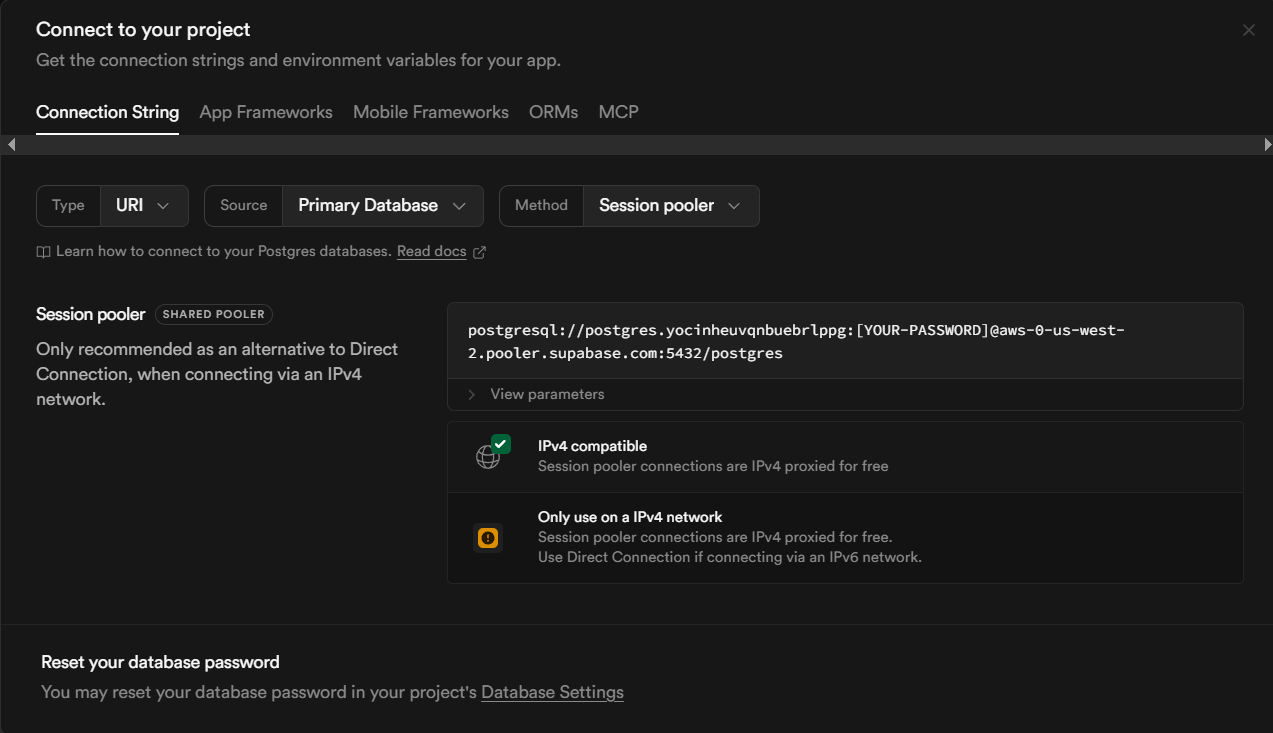
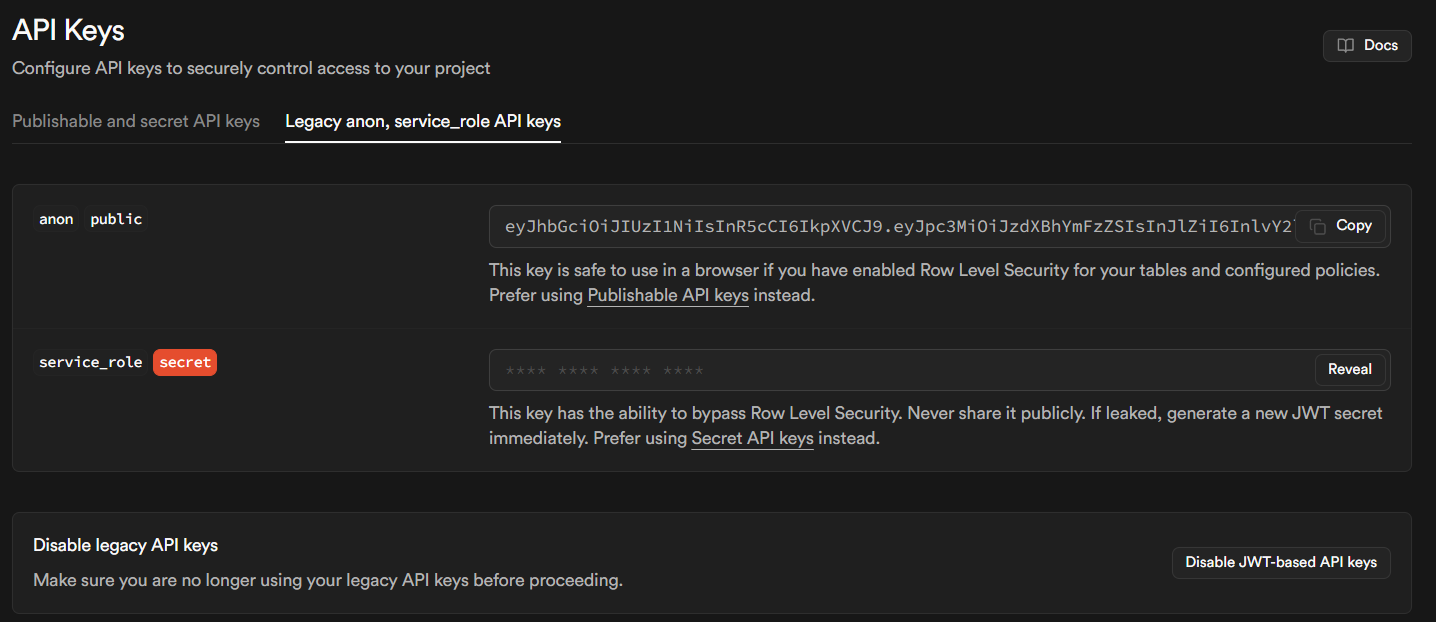
2️⃣ Get SUPABASE_SERVICE_KEY (Service Role)
- Open your project in supabase.com.
- Go to Project Settings.
- Select API Keys from the sidebar.
- In the API Keys section, copy the Service Role key.
- Save it as SUPABASE_SERVICE_KEY in your .env file.
Supabase.com